SourceHut, Git Forge Open Source Alternative to GitHub
As a software developer, you are certainly familiar with GitHub as a git repository hosting provider, also known as a git forge. Besides GitHub, there are other alternatives such as Gitlab, Codeberg, SourceForge, and Bitbucket. I have used all of them, but I will not discuss them here.
Benefits of using Git Forge
Before using a git forge such as SourceHut, it is important to understand the general benefits of using a git forge.
- Facilitates code collaboration. If you are working with a team, it is recommended to use a git forge because of the many features it offers.
- Monitors code changes before they are merged into the main branch. Monitoring code results is very important for project managers who need to check code quality.
- Serves as a portfolio for developers. Various projects that have been worked on can be made into a public portfolio that can be used as a reference.
With the various benefits mentioned above, developers should have one of these git forge institutions.
Why SourceHut?
SourceHut is a cloud-based git repository hosting provider for managing project code. Of course, SourceHut is also open source software that can be customized by its users.
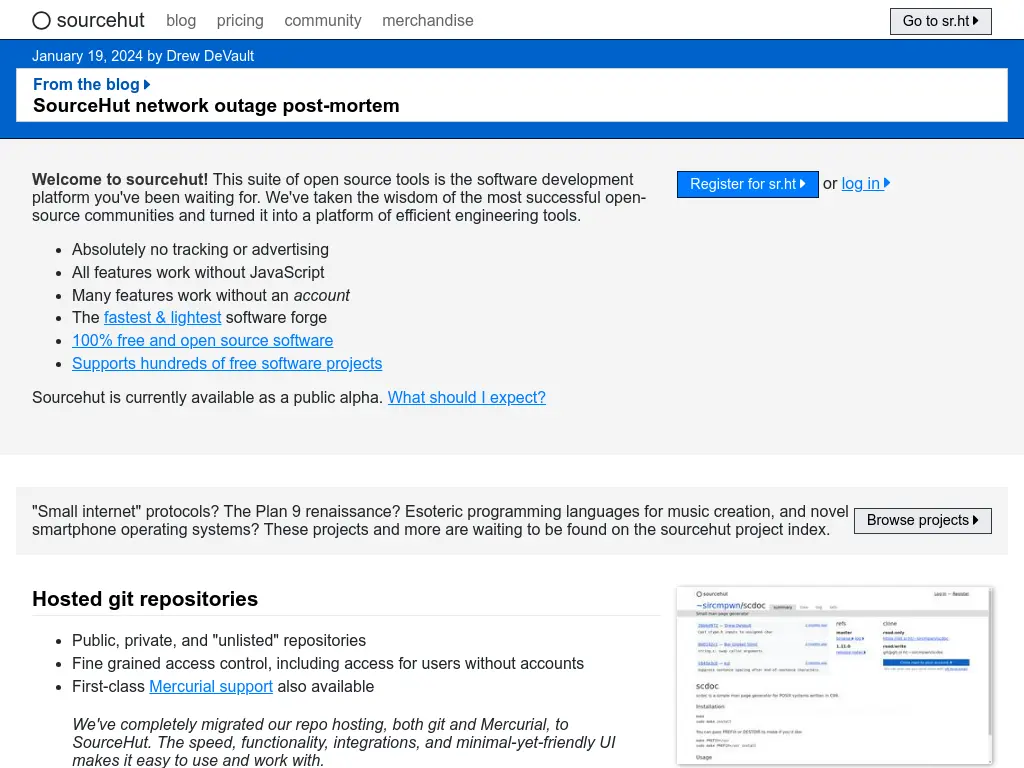
So, what are the benefits of using SourceHut over other git forges? There are several interesting facts that have been discovered.
Free and open source software
SourceHut is a free and open source git forge software under the GNU Affero General Public License (AGPL 3.0). Unlike GitHub or GitLab, SourceHut is 100% open source. You can view, access, and modify the sourcehut source code at SourceHut Source. Compared to other git forges such as GitHub, this is impossible to access because only authorized personnel within the company know the source code. Sourcehut can even be installed independently.
Some git forges that have been used along with their source code.
| Git Forge | Source |
|---|---|
| SourceHut | Open Source |
| GitLab | Open Source1 |
| GitHub | Proprietary |
| BitBucket | Proprietary |
Open source is software code that is open, while proprietary is closed program code that is not shared publicly. Only those with authorization can access it.
Sourcehut was not founded by a large company. It was founded by Drew DeVault as CEO and maintainer of the Wlroot project and Swaywm projects, along with Simon Ser as release manager of the Wayland project. In addition, Sourcehut is supported by the talented engineer Conrad Hoffmann, who contributes to the KDE project, HAProxy, and the Prometheus ecosystem.
Owned code data
No party at sourcehut allows for data sharing, whether code data or user data. Judging from the founders’ track record, they have long been creating various types of free software that allows for extreme caution regarding user privacy.
Are you familiar with Github Copilot, some of you may have used it. The code generated by AI is code under the GPL license that is used as a proprietary product, which of course violates the license policy itself. At sourcehut, the program code belongs entirely to the programmer or developer.
Quick and lightweight access
Sourcehut’s performance is faster than other git forges. It’s as light as opening plain text. Sourcehut’s workflow itself also uses plain text email to send patches, reviews, replies, or comments. There is no pull request (PR) feature, but it uses email-based communication similar to that used in Linux kernel development, which uses plain text email. For your information, Git itself is basically developed based on email to this day, not based on pull requests like commercial git forges currently do.
If you are interested in why plain text email is used instead of HTML email, we recommend visiting Use Plain Text.
Drew DeVault is also the developer of Aerc, a TUI-based email client that supports vim workflow, making it easier for keyboard centric developers.
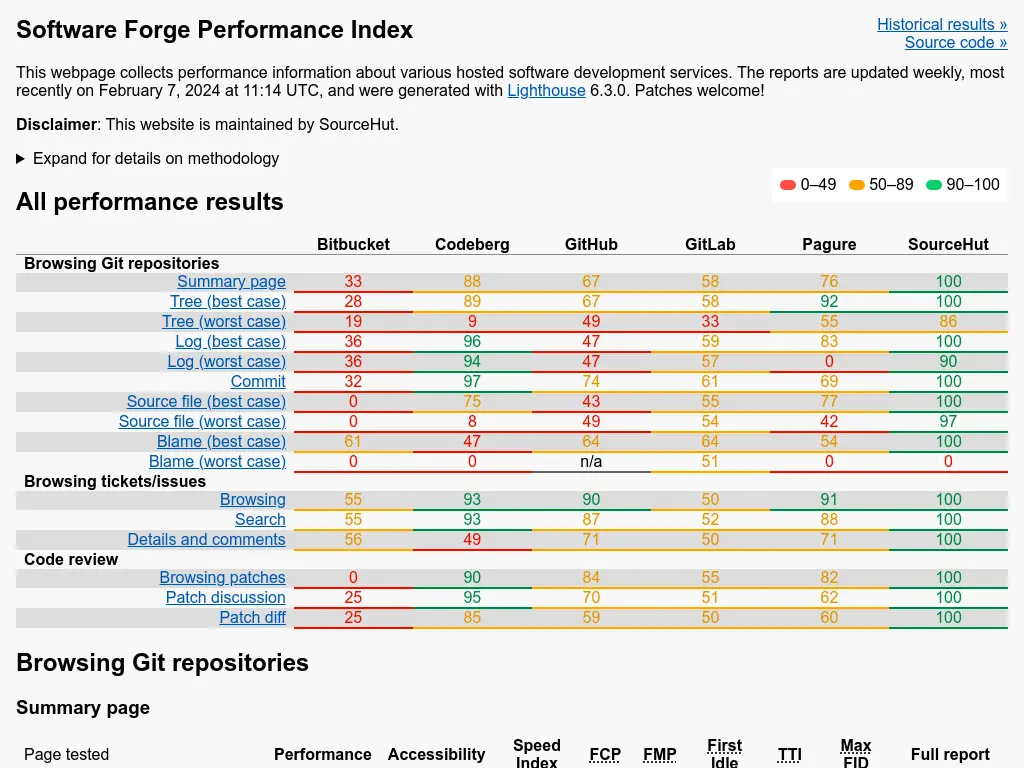
Sourcehut even claims to be the fastest of other git forge software such as Pagure, GitHub, GitLab, Bitbucket, and Codeberg. For more details, please refer to the link Forgeperf to find out more detailed differences.
Independent and modular
SourceHut can be installed independently by users. For installation instructions, refer to the SourceHut installation section at SourceHut Installation. The sr.ht service requires a PostgreSQL server, Redis server, and mail server. Since the sourcehut source code is open, it can be installed as long as you have the infrastructure for CI and CD (Parasrah). Of course, there are no subscription or licensing fees if you install sourcehut yourself. Anyone can also contribute to sourcehut for service development (Marcin Struś).
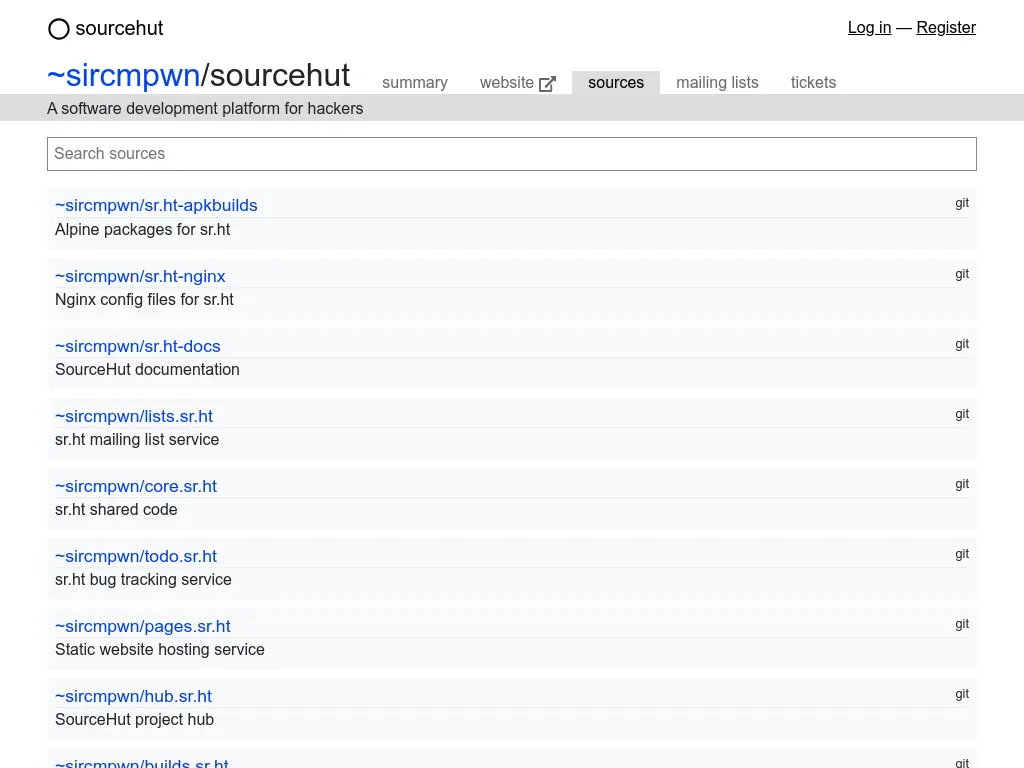
Sourcehut not only provides git repository services, but also many other services, including.
| Service | Description |
|---|---|
| builds.sr.ht | Continuous integration service. |
| git.sr.ht | Git repository service. |
| hg.sr.ht | Mercurial repository service. |
| hub.sr.ht | Project index and organization service. |
| lists.sr.ht | Mailing list service. |
| man.sr.ht | Project wiki service. |
| meta.sr.ht | Authentication and user account service. |
| pages.sr.ht | Static web service. |
| paste.sr.ht | Code pasting service. |
| todo.sr.ht | Issue and bug tracker service. |
It does require more effort to build the infrastructure, manage CI/CD, ensure stability, and patch system vulnerabilities. It would be troublesome if that happened. But sourcehut also has several parameters that can be considered for installation and use in production.
- How much is it tied to third-party agencies?
- How good is the code quality?
- How many bugs have been found?
- How are these bugs resolved?
- How many people are involved?
- And so on.
Based on these parameters, sourcehut is still in the “safe” category. In fact, one of the Android-based operating systems called PostMarketOS is also seriously considering using sourcehut for its independent infrastructure (PostMarketOS).
If you use a Nix-based operating system, it is very easy to install sourcehut, because there is already an option to declare it that is integrated with PostgreSQL and Redis.
Affordable costs
Currently, sourcehut is entering the alpha development stage, where users can use all available features except the build/deploy system at SourceHut Build. To use this feature, users are required to pay for the build system service. If anything, this is not a payment, but rather a contribution or donation to cover living expenses. For example, to cover the electricity, taxes, and accommodation costs of sourcehut developers. Uniquely, sourcehut does not have any mandatory pricing plan categories, meaning that each category has the same facilities despite having different prices. More details are available at sourcehut SourceHut Pricing.
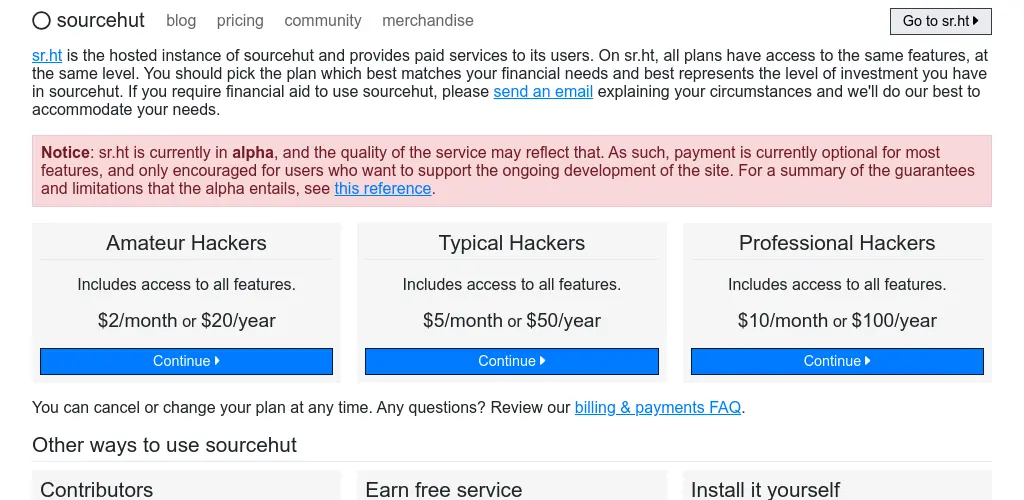
- Amateur Hacker: 2 USD/month or 20 USD/year
- Typical Hacker: 5 USD/month or 50 USD/year
- Professional Hacker: 10 USD/month or 100 USD/year
Converted to Indonesian rupiah at a rate of Rp16,000, this becomes:
- Amateur Hacker: Rp320,000/year
- Typical Hacker: Rp800,000/year
- Professional Hacker: Rp1,600,000/year
The facilities and features are the same for all three categories. Users are free to choose the category they want depending on their financial needs. Payment is also easy via credit card, Stripe, or cryptocurrency.
How can it be so cheap? For example, renting a VPS costs Rp50,000 per month, or Rp600,000 per year. This is cheaper than Sourcehut, which costs Rp320,000 (Amateur Hacker), or 46.6% cheaper than renting a VPS yourself.
Why pay for a CI/CD deployment system when other Git forges like GitHub and GitLab are free? Actually, other Git forges aren’t free. Users don’t pay because someone else is paying behind the scenes, like many venture capital firms (investors) sponsoring those Git forge companies. As for Sourcehut, we all know where it stands.
No tracking and advertising
So far, since this article was written, no advertisements have been found on SourceHut. The SourceHut homepage also states that there is no tracking or advertising displayed on SourceHut. In fact, all features work without JavaScript.
SourceHut is simple and lightweight. Don’t be fooled by the classic look of the website, which lacks any artistic flair. Visually (UI), it may be considered poor because there are no animations, motion, pop-ups, or other bells and whistles. However, in terms of user experience (UX), sourcehut is very responsive, although it takes some getting used to using the email workflow.
The existence of hut as a CLI tool supporting sourcehut
Hut is a CLI application for interacting with SourceHut. It functions to monitor system deployment work, view tickets, patch lists, git repositories, and more. It can even be specified by name, owner, or URL.
With hut, it is easier to manage sourcehut repositories, eliminating the need to open the website to access sourcehut. For the first setup, hut init is required to initialize a token that identifies the user account.
$ hut helphut is a CLI tool for sr.ht
Usage:
hut [command]
Available Commands:
builds Use the builds API
export Exports your account data
git Use the git API
graphql Execute a GraphQL query
help Help about any command
hg Use the hg API
init Initialize hut
lists Use the lists API
meta Use the meta API
pages Use the pages API
paste Use the paste API
todo Use the todo API
Flags:
--config string config file to use
-h, --help help for hut
--instance string sr.ht instance to use
Use "hut [command] --help" for more information about a command.In sourcehut, you can also view repositories with hut.
hut git listwebsite (public)
Learn about data science and statistics in bahasa.
swayhome (public)
Nixos configuration, sway and home-manager.
oldblog (public)
Personal blog of Hervy qurrotul
dotfire (public)
Nixos KDE Plasma configuration for data science.Hosting websites with sourcehut pages
You can create website pages for free with sourcehut pages using the domain name username.srht.site. The website whose repository is located at ~hervyqa/termivy is also built using sourcehut pages, but it uses a custom domain. Creating sourcehut pages is also very simple, just by creating a .build.yml file.
For example, deploying a static website with hugo. Several other examples can be found at SourceHut Pages examples.
image: alpine/latest
packages:
  - hugo
oauth: pages.sr.ht/PAGES:RW
environment:
  site: namasitus.com
  files: site.tar.gz
tasks:
- package: |
    cd $site
    hugo
    tar -C public -cvz . > ../$files
- upload: |
    hut pages publish -d $site $files
Optionally, change the DNS server in your domain provider’s domain management to support custom domain on sourcehut.
@ IN A    46.23.81.157
@ IN AAAA 2a03:6000:1813:1337::157
Diverse Continuous Integration Architecture
SourceHut is equipped with various Linux distribution operating systems with different architectures for Continuous Integration (CI) needs. Supported operating systems include BSD and linux-based.
- Alpine linux
- Arch linux
- Debian
- Fedora
- FreeBSD
- Guix System
- NetBSD
- OpenBSD
- Rocky linux
- Ubuntu
Supported architectures:
aarch64arm64armelarmhfi386ppc64els390xx86_64x86
And many other architectures. If you use the x86_64 or amd64 architecture, then that architecture uses native hardware. For more information, refer to the compatibility page.
Closing
Personally, I think sourcehut is worth using for developers. Several important personal repositories have been migrated to sourcehut, including this website’s repository. When I first started using sourcehut, the repository was still quiet and not very popular at the time this article was written. But after researching its features and how sourcehut works, I became interested in some of the advantages that other git forges don’t have. The initial considerations for choosing SourceHut were its speed, minimal bugs, the availability of a CLI application (hut), a well-built system, and of course, its open source nature.
SourceHut is not a viral and well-known git forge. It does not have features that make it famous on social media. For example, there is no star rating or total number of stars in a repository, no special badges, and no repository banners, so the thumbnail images look elegant. Even its users don’t have the feature to upload profile photos. But despite these shortcomings, many large project repositories are on SourceHut, and the famous button feature is not really needed. By leaving out these bells and whistles, SourceHut becomes more minimalist and faster. Back to the concept of less is more.
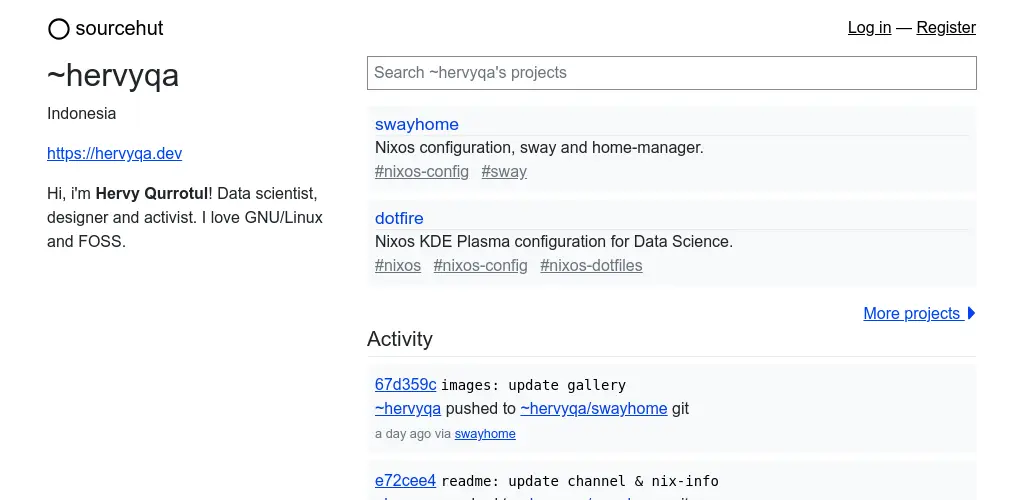
Profile display ~hervyqa on sourcehut.
Paying for the deploy feature on sourcehut still makes sense. First, the price is still affordable. And second, the money stays within the realm of FOSS (Free Open Source Software), rather than flowing to investors. This may be a matter of debate, but it still doesn’t make sense to argue about it. The simplest logic is, is there such a thing as free electricity? Even the most free things still require effort. And effort requires accommodation and supplies.
The word “free” in the principle of free software has a specific meaning that cannot be generalized. Roughly speaking, “if it’s free, then it’s free everything” is clearly impossible. Some features are indeed free, while others are not, and each has its own limitations. Sourcehut’s business model is clear and transparent. There are also annual financial reports, for example for 2019, 2021, and 2022.
If you are accustomed to using an email-based workflow and prioritize performance, then Sourcehut is worth trying. The source code Gitlab Source is open source but not completely open, as there is some proprietary (closed) code. If you want to use open source code, you can use Gitlab Floss. ↩
Article Info
Thank you
I appreciate you reading this article. If you have thoughts or want to discuss it, you can reach me via Email. Feel free to connect with me on Mastodon or Bluesky. And take care of yourself.
References
- Marcin Struś. 2022. “Going SourceHut”. April 25, 2022. https://blog.strus.guru/2022/04/going-sourcehut/
- Parasrah. 2022. “Why Use SourceHut”. February 05, 2022. https://blog.parasrah.com/posts/why-use-sourcehut/
- PostMarketOS. 2022. “Considering SourceHut”. July 22, 2022. https://postmarketos.org/blog/2022/07/25/considering-sourcehut/
Reuse
This work is licensed under CC BY-NC 4.0.
Citation
Bibtex citation:
@online{hervyqa_sourc_2024,
  author = {Hervy Qurrotul},
  title = {SourceHut, Git Forge Open Source Alternative to GitHub},
  date = {2024-04-02},
  url = {https://hervyqa.srht.site/blog/sourcehut-git-forge/},
  langid = {en}
}
For attribution, please cite this work as:
Hervy Qurrotul. 2024. “SourceHut, Git Forge Open Source Alternative to GitHub.” April 02, 2024. https://hervyqa.srht.site/blog/sourcehut-git-forge/.